
OPPO A37 (A37F) Stock Firmware Rom (Flash File)

How To Flash Oppo A37 (A37F):
Always Prefer A36 version file of Oppo A37F to Flash. It is the latest update available for Oppo A37F.
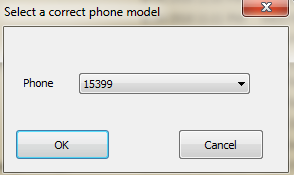
For File with version A34, select 15399 as model no to run the tool.
1- Install Qualcomm Driver.
2- Make sure your device getting identified in device manager as Qualcomm HS-USB Diagnostic 9006.
3- Use Power or Volume up or combination of both as boot key.
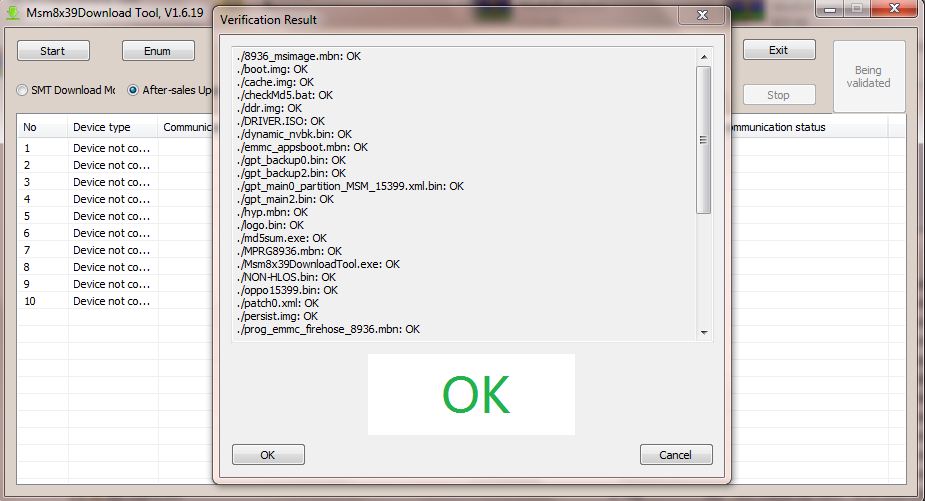
4- Run msm8x39 Download tool.
5- Click on verify, if it display message ok then you are ready to go.
6- Click on start to Flash.
7- Download Progress will be displayed.
8- When completed, Download complete will be displayed.
Note: If Your Device Is Not Connecting To Pc Then Download The Driver From Above and Install in Your Pc.
If You Getting any error in Flashing Then Contact Me. I will help you.

Download Oppo A37 (A37F) Flash File:
- A37fEX-11-A.34-180817-FixYoutube
- A37fEX_11_A.13_160918
- A37F_A37fEX_11_A.07_160614
- A37F_eMMC_DUMP_REPLACE_REPAIR_UNBRICK
- OPPO Flash Tool
- USB Drivers


.png)


 Stock Firmware Rom (Flash File) By BJ Software Solution)
0 Comments